

Your app needs Python 3.10 or later, Node 22 or later, or PHP 8.2 or later.
The SDK runs in your server code, not in the browser.
1
Project creation
Open dashboard.manifest.build. On a new
account, the project form opens by itself. On an existing account, click
New project. Enter a project name, then click Continue on your first
project, or Create project on the next ones.The setup screen shows your project key only once. Copy it now.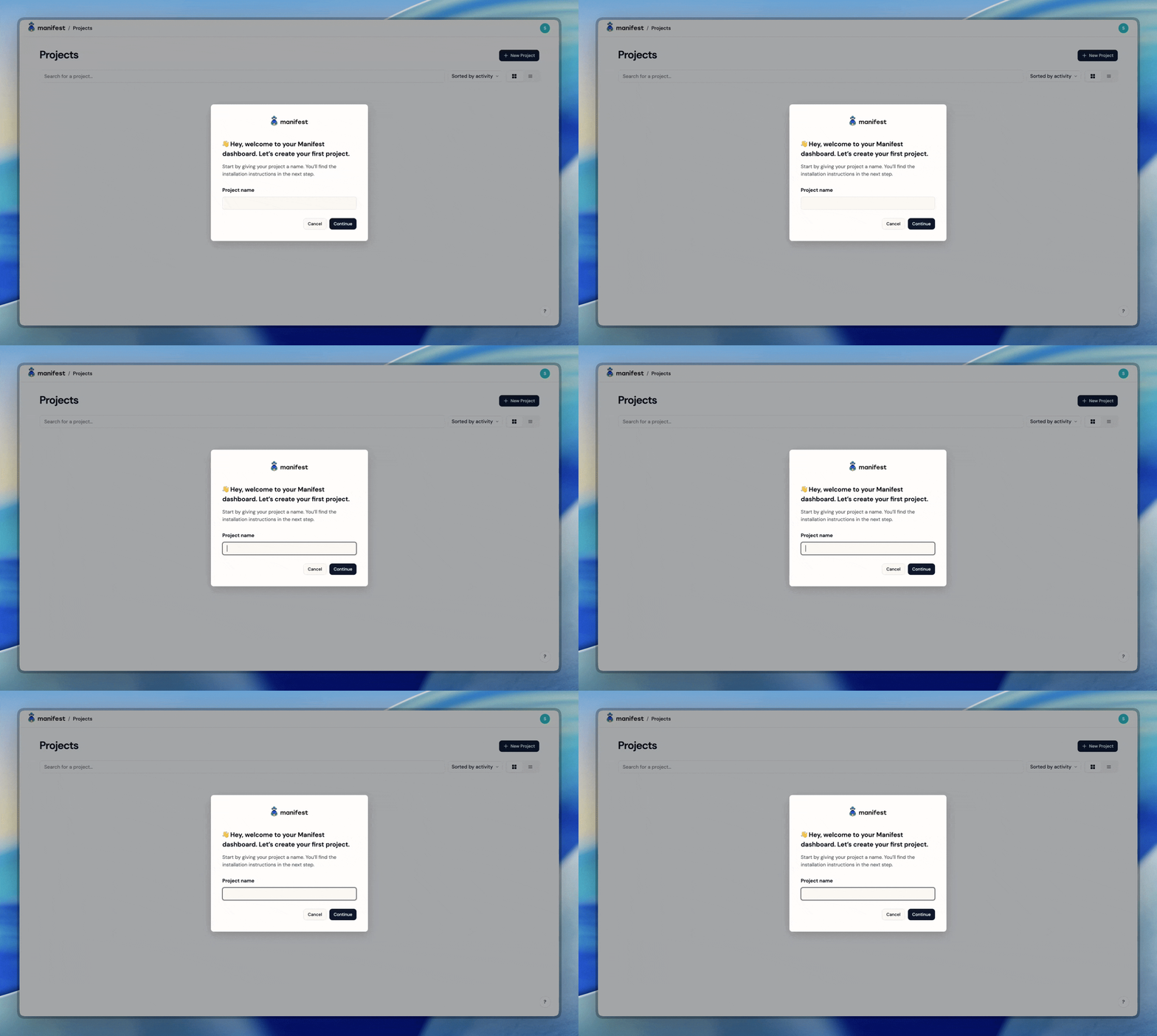
2
Installation
Pick your runtime. Each tab installs Manifest, starts it before your first API
request, and gives it your project key.Install covers the other ways to start Manifest: before any of
your code, in Next.js and in Laravel.
- Python
- Node
- PHP
- n8n
- Hermes
 Python
 Node
Node PHP
PHP n8n
n8n Hermes
Install the SDK:Add these lines at the top of the file that starts your app:Set your key in the environment of your app:A
.env file works only if you call load_dotenv() before manifest().3
First requests
Restart your app. The setup screen shows “Connected. Waiting for a failing request”. With Hermes, the setup screen stays on “Waiting for your first request”.At the first recoverable request, the setup
screen turns into the Overview.If the screen does not change, see Check your install.